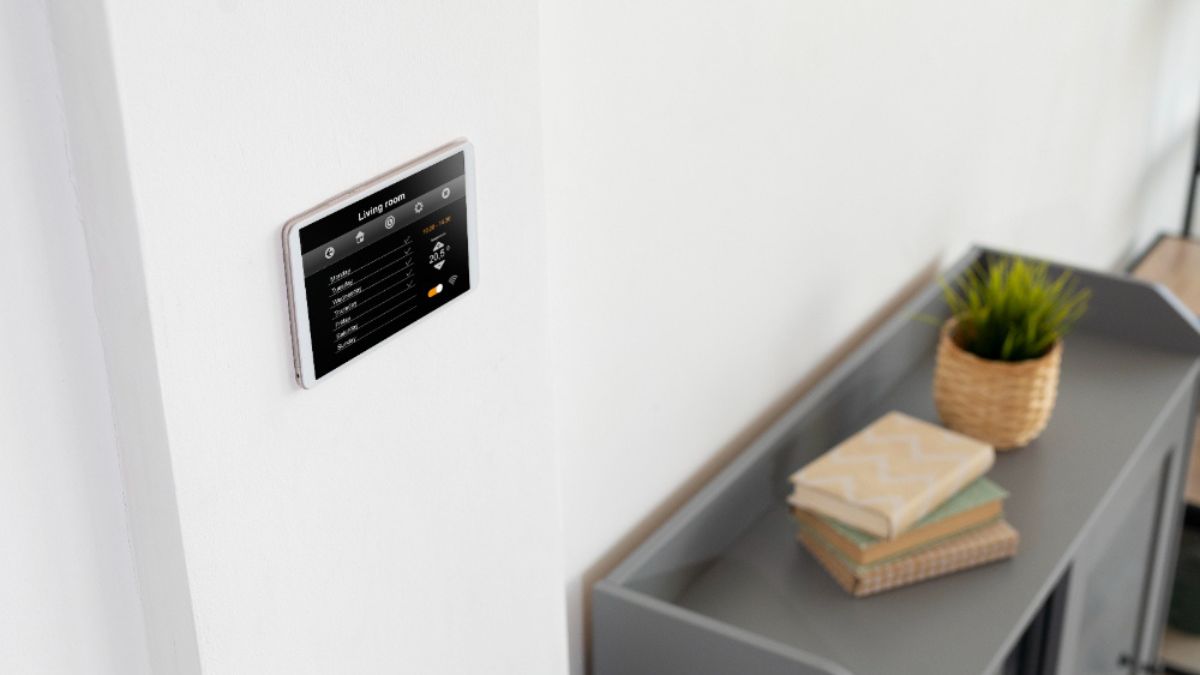
Have you ever wished for a way to control your home’s temperature with just a tap on your smartphone? Enter the Ribora thermostat—a game-changer in home comfort. This sleek, smart device not only allows you to adjust your heating and cooling systems effortlessly but also learns your preferences over time, making it an invaluable addition to any modern household.
Imagine coming home after a long day to find that the perfect temperature is already set. No more fiddling with manual dials or rushing to turn up the heat before guests arrive. The Ribora thermostat takes convenience and efficiency to new heights. Whether you’re tech-savvy or just looking for an easier way to manage your home’s climate, this guide will walk you through everything you need to know about setting up and maximizing your Ribora thermostat experience.
Benefits of Using a Smart Thermostat
Smart thermostats like the Ribora offer a host of advantages that transform how you manage your home’s temperature.
They learn your habits over time, automatically adjusting settings to match your routines. This means you can enjoy comfort without constantly fiddling with controls.
Energy savings are another major perk. By optimizing heating and cooling schedules, smart thermostats reduce energy consumption, leading to lower utility bills.
Remote access is a game-changer too. Whether you’re at work or on vacation, controlling your thermostat from anywhere via a smartphone app offers unparalleled convenience.
Integration with other smart devices enhances functionality even further. You can sync it with voice assistants for seamless control and respond quickly to changing conditions in your home environment.
Furthermore, many models provide usage reports that help track patterns and suggest improvements for even greater efficiency.
Preparing for Installation
Before diving into the setup, gather your tools. You’ll need a screwdriver, a level, and possibly some wire strippers. Having everything on hand will make the process smoother.
Next, turn off power to your existing thermostat at the circuit breaker. This step is crucial for safety while you work with electrical components.
Remove the old thermostat carefully. Take note of how it’s wired by taking pictures or labeling wires. This information will be invaluable when connecting your Ribora Thermostat.
Ensure that you have a stable Wi-Fi connection in the area where you’ll install the device. A reliable signal means seamless operation later on.
Read through the Ribora user manual before starting installation. Knowing what to expect can save time and reduce frustration during setup.
Step-by-Step Guide to Setting Up Your Ribora Thermostat
Setting up your Ribora thermostat is a straightforward process that enhances your home’s comfort.
Start by downloading the Ribora app from your device’s app store. This app will be central to controlling and customizing your thermostat settings.
Next, ensure that you connect the thermostat to Wi-Fi. Follow the prompts in the app for a seamless connection. A stable internet link allows remote access and adjustments from anywhere.
Once connected, it’s time to adjust settings and scheduling according to your preferences. The intuitive interface makes it easy to set temperature ranges for specific times of day or days of the week.
Take advantage of energy-saving modes available in the app. These features help optimize usage, ensuring you save on utility bills while maintaining comfort throughout your home.
A. Downloading the Ribora App
To get started with your Ribora thermostat, the first step is downloading the Ribora app. This user-friendly application serves as your control center for managing home temperatures efficiently.
Begin by searching for “Ribora” in your device’s app store. The app is compatible with both iOS and Android devices, ensuring accessibility for everyone. Once you find it, tap on “Install” or “Get.”
After installation, open the app and follow the prompts to create an account if you don’t already have one. You’ll need to provide some basic information like your email address and a secure password.
With the account set up, you’re ready to dive into all of Ribora’s features. The intuitive interface makes navigating through options simple and efficient, putting you on track to optimize your home’s comfort right from your smartphone.
B. Connecting the Thermostat to Wi-Fi
Connecting your Ribora thermostat to Wi-Fi is a crucial step for unlocking its full potential. Start by ensuring your home network is active. You’ll need the Wi-Fi name and password handy.
Open the Ribora app on your smartphone. The interface guides you through the connection process seamlessly. Look for an option labeled “Connect to Wi-Fi” or something similar.
Once selected, choose your home network from the list that appears. Enter your password carefully; this is where typos can sneak in easily!
After entering the credentials, tap ‘Connect.’ The thermostat will attempt to establish a connection with your router. Wait patiently as it processes this request; success should be indicated with a confirmation message.
If there are issues, make sure you’re within range of the Wi-Fi signal and double-check that you’ve entered everything correctly before trying again.
C. Adjusting Settings and Scheduling
Once your Ribora thermostat is connected, it’s time to adjust the settings. Start by accessing the app on your smartphone. The interface is user-friendly, making navigation a breeze.
You can set specific temperature preferences for different times of day. This means no more heating or cooling when it’s unnecessary. Just think about waking up to a cozy home while saving energy during the day.
Scheduling is key to maximizing efficiency. You can create custom schedules for weekdays and weekends separately. Simply select the days and input your desired temperatures at various times.
Don’t forget about vacation mode! It allows you to maintain an energy-efficient setting while you’re away, ensuring that your home remains comfortable upon return without wasting resources while you’re gone. Adjusting these settings lets you fine-tune your comfort level effortlessly.
Troubleshooting Common Issues
When setting up your Ribora thermostat, you might encounter a few hiccups. Don’t worry; most issues are easy to resolve.
If the thermostat won’t connect to Wi-Fi, double-check your network settings. Ensure that you’re entering the correct password and that your router is functioning properly. Sometimes simply restarting the device can do wonders.
Another common issue is inaccurate temperature readings. If this happens, try relocating the thermostat away from heat sources or direct sunlight for more accurate sensing.
If schedules aren’t saving correctly, make sure you’re using the latest version of the Ribora app. An outdated app may cause unexpected behavior.
If you’re experiencing battery problems, replace them with fresh ones even if they seem new. This simple step can often resolve many unresponsive issues in smart devices like yours.
Additional Features and Tips for Optimal Use
The Ribora thermostat comes packed with features that enhance comfort and efficiency. One standout option is geofencing technology. This allows the thermostat to detect when you’re home or away, automatically adjusting the temperature for optimal savings.
Another useful feature is energy usage reports. These insights help you understand your consumption patterns, enabling smarter decisions about heating and cooling.
For optimal use, consider setting up reminders for filter changes and maintenance checks. Regular upkeep ensures the peak performance of your system.
Integrating voice control with smart speakers can add a layer of convenience. Just ask your device to adjust the temperature without lifting a finger.
Explore programmable settings tailored to your routine. Customizing schedules can lead to significant energy savings while maintaining comfort in your living space.
Conclusion: Enjoy the Convenience and Savings
Setting up your Ribora thermostat opens the door to a world of convenience and energy savings. With its smart technology, you gain control over your home’s climate at your fingertips.
Imagine adjusting temperatures while lounging on the couch or even when you’re miles away. The app empowers you with real-time updates and easy adjustments.
Moreover, by optimizing heating and cooling schedules, you can lower energy bills significantly. Efficient use of resources not only benefits your wallet but also contributes to a greener planet.
Embrace this innovative approach to home comfort. Enjoy personalized settings tailored to fit your lifestyle seamlessly. It’s more than just a device; it transforms how you interact with your environment daily.
FAQs
What is the Ribora thermostat?
The Ribora thermostat is a smart heating and cooling control system designed to optimize your home’s climate. It allows you to manage your heating and air conditioning remotely through an app, ensuring comfort while saving energy.
How do I reset my Ribora thermostat?
To reset your Ribora thermostat, locate the reset button on the device or access it via the app settings. Follow the prompts for resetting; this usually restores factory settings.
Can I use multiple Ribora thermostats in my home?
Yes, you can install multiple Ribora thermostats throughout your home. Each unit can be managed independently or grouped for centralized control using the app.
Is the Ribora thermostat compatible with voice assistants?
Absolutely! The Ribora thermostat works seamlessly with popular voice assistants like Amazon Alexa and Google Assistant. This integration enables hands-free temperature adjustments.
What should I do if my Wi-Fi connection drops during setup?
If you experience connectivity issues during setup, ensure that both your Wi-Fi network and the thermometer are functioning properly. Restarting both devices may help refresh their connections before attempting to set them up again.
By addressing these common questions, we hope you’re well on your way to enjoying all that your new ribora thermostat has to offer. Whether it’s convenience at your fingertips or savings on energy bills, you’re about to enhance how you experience comfort in your home.